Free AI Baby Photo Generator From One Real Photo
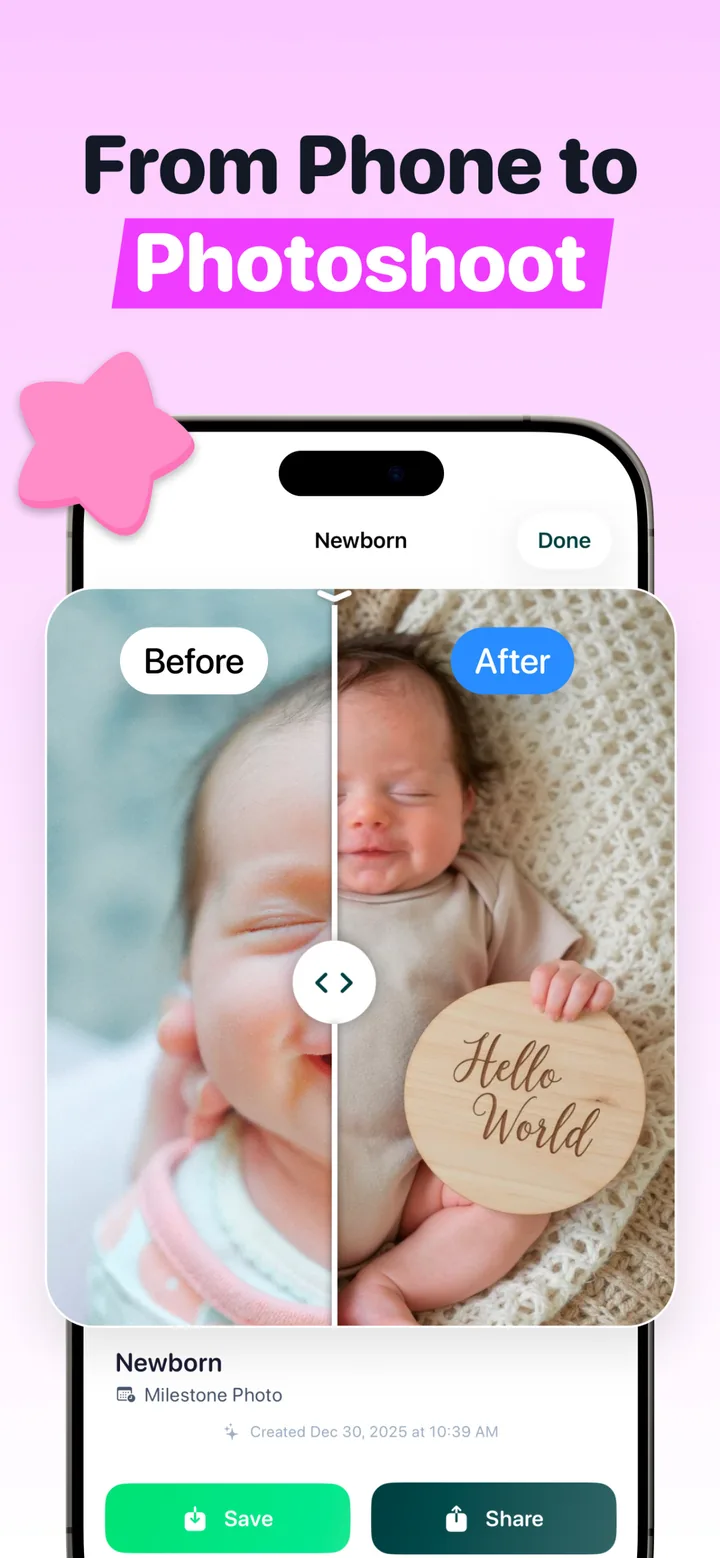
Totti is a free-to-download baby generator for iPhone that starts with a real baby photo—not parent photos or a future-baby prediction. Upload a snapshot, pick from 50+ photoshoot templates, and review the styled newborn or milestone portrait before you save it.
Template count, free first workflow and 2048×2560 export were checked in Totti 1.0.2 on October 1, 2026. Confirm current compatibility and purchases on the App Store listing.
Your Baby Photo Studio at Home
Digital templates, pose-inspired imagery, virtual outfits, milestone cards and frames inside one baby photoshoot app.
How the AI Baby Photoshoot Works
Three steps between the photo on your phone and a portrait on your wall. No posing sessions, no props, no waking the baby.
Upload a photo
Pick any clear photo of your baby from your camera roll: a crib photo, a lap photo, even a slightly messy one. Soft window light works best.
Choose a style
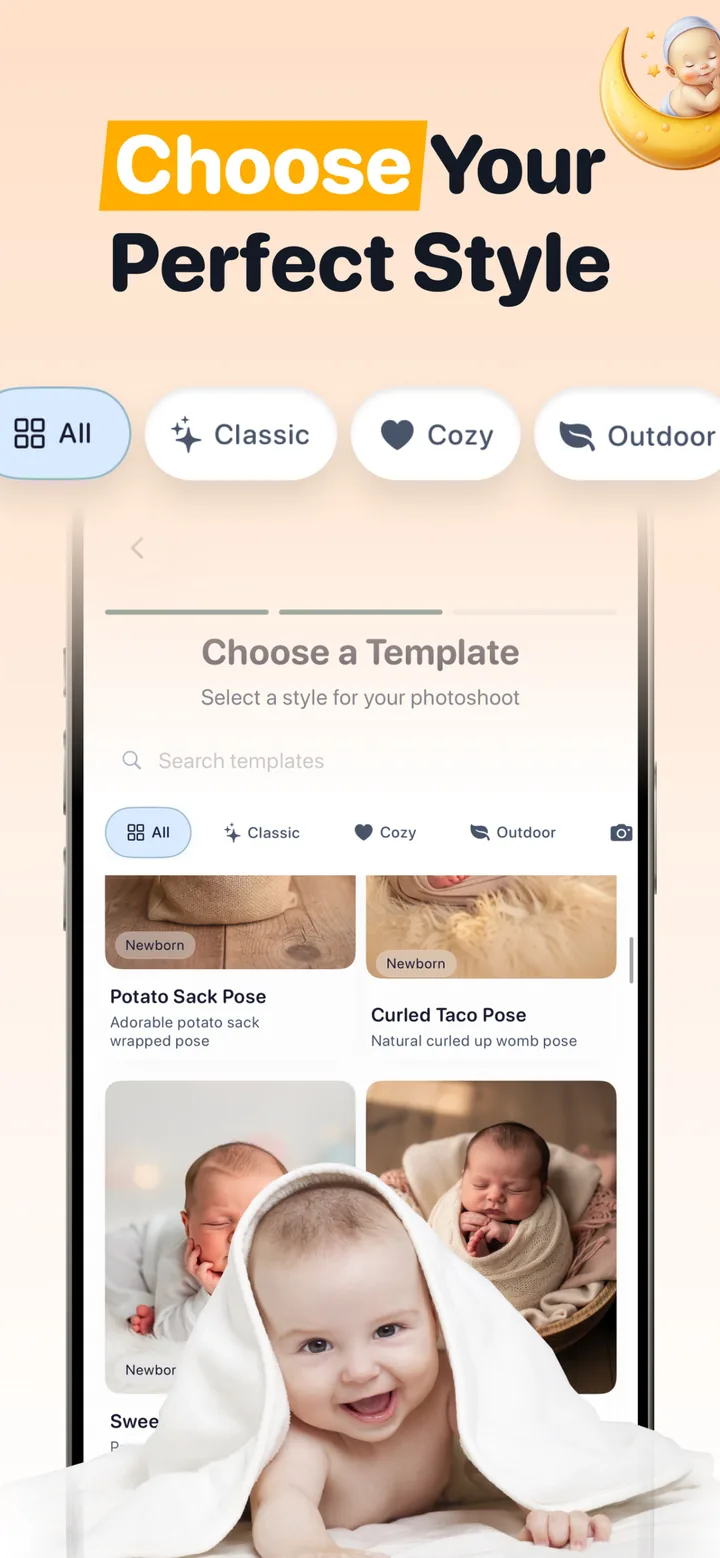
Browse Classic, Cozy and Outdoor collections, with newborn poses like Potato Sack and Curled Taco, milestone cards, seasonal themes and matching outfits.
Generate & share
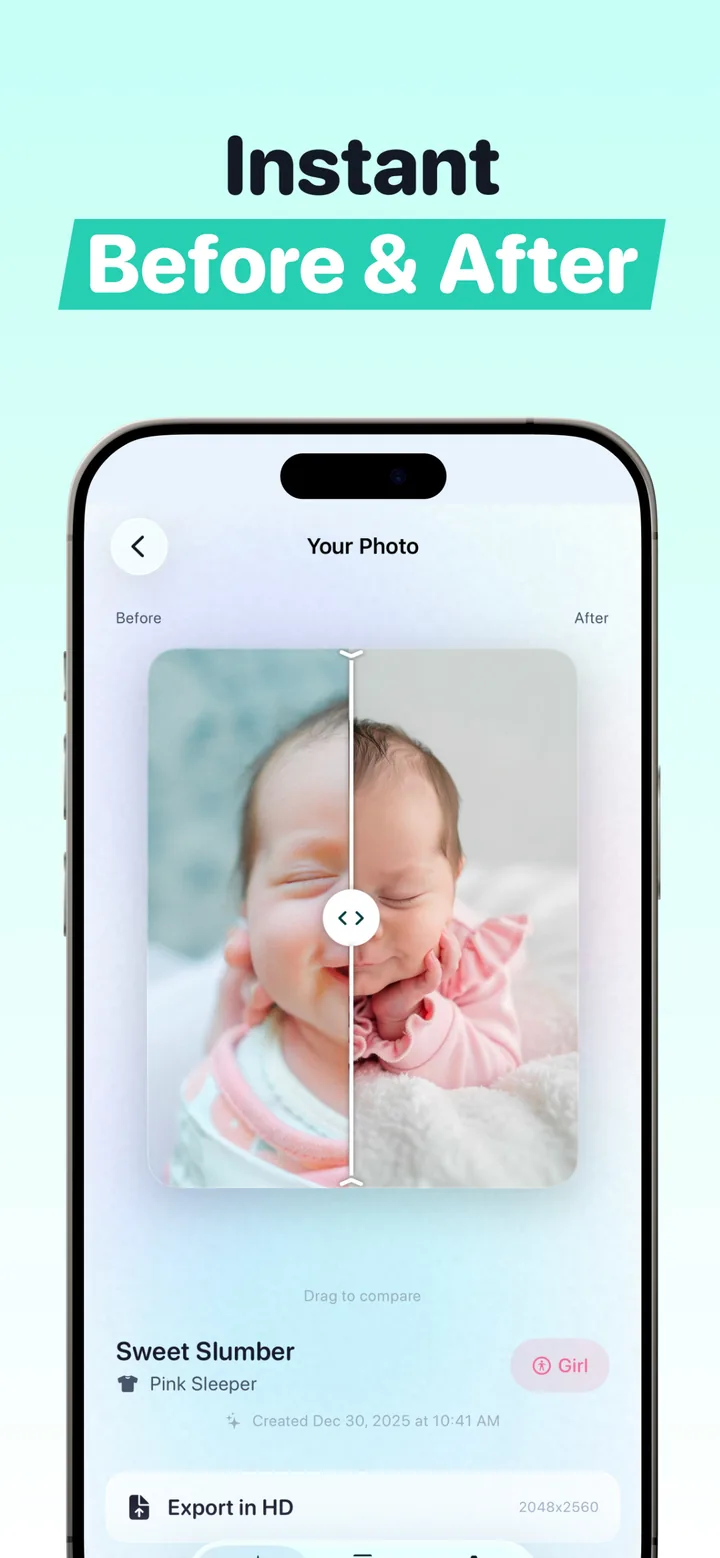
The AI restyles background, lighting and wardrobe while aiming to keep your baby recognizable. Compare the result with the source, add a frame, then export in HD.
The review checkpoint is part of the product flow: source photo → template → generated preview → before-and-after comparison → optional frame → HD export. If a face, hand or clothing edge looks wrong, go back to the source or template instead of treating every generation as a keeper.
Create Now, Learn the Process, or Check the Free Limits
Each page has one job, so you can go straight to the answer you need.
Create a Baby Portrait Now
Open Totti on the App Store, upload one clear photo, choose a style and review the generated portrait.
Download Totti free → 🤖Understand AI Newborn Photography
See what the AI changes, what comes from the source photo and which details to inspect before export.
Read the workflow guide → 🆓Check What Is Free
Follow the $0 path, see how premium templates and frames are labeled, and know where payment begins.
Review free vs. premium →Every Milestone, Beautifully Captured
Styled portrait workflow
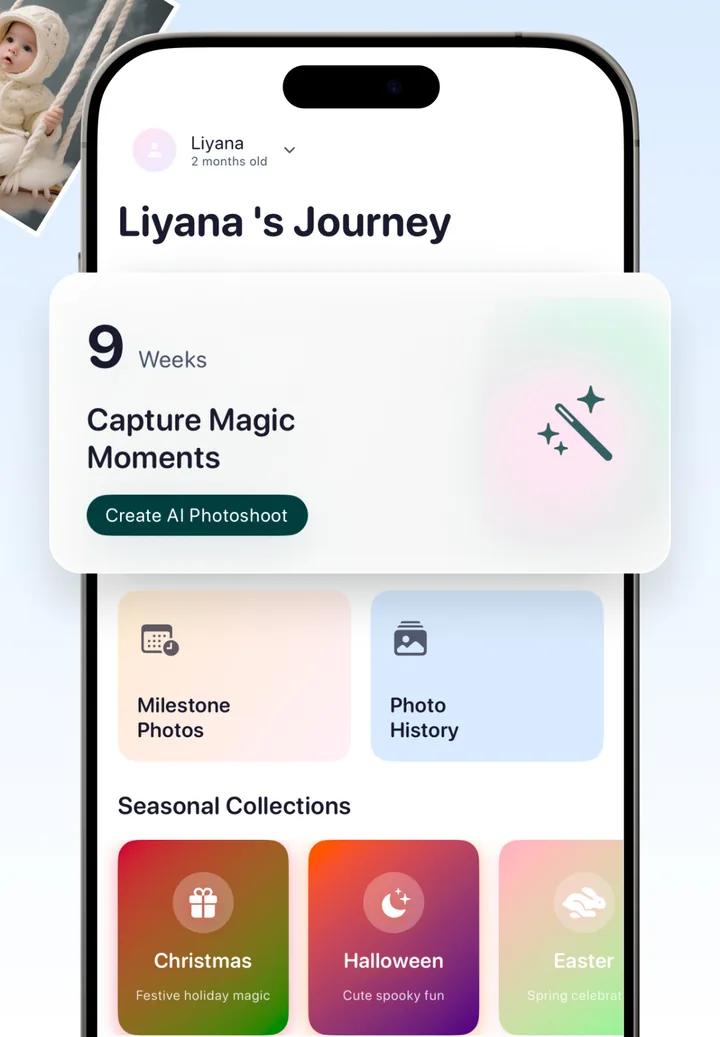
AI rebuilds the background, lighting and styling while aiming to keep your baby recognizable from the source photo.
Milestone cards
"Hello World" newborn cards, weekly updates and monthly celebrations with elegant wooden plaques, styled automatically.
Safe newborn poses
Get the adorable Potato Sack and Curled Taco poses as AI art. No risky physical posing of your newborn required.
Seasonal collections
Christmas magic, cute-spooky Halloween and spring Easter themes ready for holiday cards and social posts.
Virtual outfits
Cozy knits, floral rompers, festive holiday wear and classic studio attire, matched to every scene. No laundry involved.
Frames & HD export
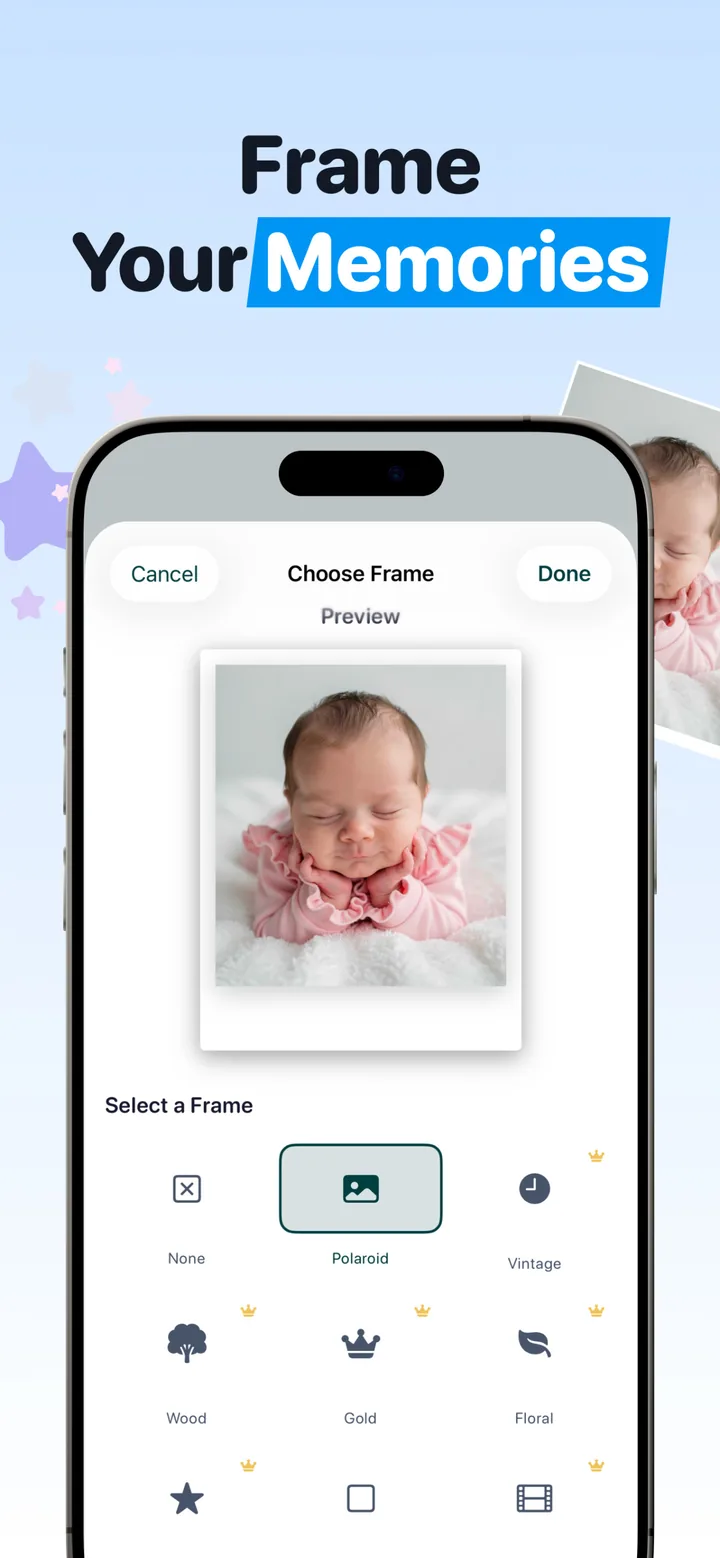
Polaroid, Vintage, Wood, Gold and Floral frames, then export at 2048×2560, sharp enough for prints and announcements.
Newborn Photoshoot Cost: Studio vs. Totti
US newborn photography typically runs $200–$800 per session, and premium studios charge $1,000 or more. Here's what that buys you compared to an AI baby photoshoot.
| What you get | Studio session | Totti AI photoshoot |
|---|---|---|
| Typical cost | $200–$800+ per session | Free to download |
| Scheduling | Booked weeks ahead, 2–4 hour session | Generate on your own schedule |
| Styles per session | 2–3 setups | 50+ template catalog; premium choices labeled |
| Newborn handling | Posed by a stranger | Contact-free, baby stays home |
| Outfit changes | Limited, mid-shoot | Virtual outfits per scene |
| Every milestone covered | New session each time | Weekly & monthly cards built in |
Baby Photography Guides
Practical, detailed guides on taking stronger baby photos at home and understanding what Totti changes after upload.
AI Newborn Photoshoot: The Complete Guide
What AI newborn photography changes, what comes from the real source photo, and what to review.
Read the guide → 🏠Newborn Photoshoot at Home
Set up light, timing and a phone photo, then let AI turn it into a studio portrait.
Read the guide → 📱DIY Newborn Photography Without a Photographer
The safe, simple way to shoot your own newborn photos, then upgrade them with AI.
Read the guide → 🪧Baby Milestone Photos, Month by Month
Hello World cards, weekly updates and monthly milestones, in a system that's easy to keep up.
Read the guide → 💰Newborn Photoshoot Cost in 2026
Real US pricing: session fees, packages, hidden extras, and the AI alternative.
Read the guide → 🌮Newborn Photo Poses (Safely)
Potato Sack, Curled Taco, Sweet Slumber: classic poses explained, plus the contact-free way.
Read the guide → 🎄Baby Holiday Photoshoot Ideas
Christmas, Halloween and Easter baby photos without studio bookings or itchy costumes.
Read the guide → 💌Birth Announcement Photo Ideas
Fifteen photo concepts, layouts, timing and privacy checks for a card-worthy newborn portrait.
Read the guide → 🆓Free AI Baby Photo Generator
What's actually free in Totti, how to get your first AI baby photoshoot, and what premium adds.
Read the guide → ✨Free Newborn Photo Editor Online
Edit locally in your browser: crop, rotate, adjust light and color, then download without uploading the photo.
Open the editor →AI Baby Photo Generator FAQ
What is an AI baby photo generator?
An AI baby photo generator transforms an ordinary baby photo into a styled portrait. You upload a phone snapshot, pick a photoshoot template, and the AI restyles the background, lighting and outfit while aiming to keep the baby recognizable. Review the generated face, hands and clothing against the source before saving. Learn more →
Is Totti a future-baby face generator?
No. Totti starts with a real photo of a baby who already exists and creates a styled portrait from that source. It does not predict what a future child might look like from parent photos. Compare the two tools →
Is Totti's AI baby photo generator free?
Yes. Totti is free to download on the App Store, and you can start creating AI baby photoshoots right away. Some premium templates, frames and features are available through optional in-app purchases. Learn more →
How do I do a newborn photoshoot at home without a photographer?
Take a clear, well-lit photo of your baby near a window using your phone, then upload it to Totti and choose one of 50+ templates like Potato Sack Pose or Sweet Slumber. The app generates a styled portrait for you to compare with the source, without recreating the depicted studio pose at home. Learn more →
Is it safe to upload my baby's photos to an AI app?
AI photoshoots avoid physical posing, but photo privacy is a separate question. Review the current developer-supplied App Privacy information and linked privacy policy before uploading, minimize identifying details, and contact the developer if a retention or training detail is unclear. Read the privacy notice →
How much does a newborn photoshoot cost compared to AI?
Professional newborn sessions in the US typically cost $200–$800, and premium studios charge $1,000–$3,000+. Totti creates studio-style baby portraits from photos you already have. The app is free to download, making it a fraction of the cost of a single studio session. Learn more →
Can I create monthly milestone photos with the app?
Yes. Totti tracks your baby's journey and creates milestone cards for every stage: "Hello World" newborn announcements, weekly updates, monthly celebrations and first-birthday memories, all styled with elegant wooden plaques and professional backdrops. Learn more →
Will the AI photos actually look like my baby?
A good result should remain recognizable, but AI generation can alter small details. Totti's before-and-after slider lets you compare the original with every generated portrait. Check the face, hands and clothing edges, and discard or regenerate a result that does not match the source. Learn more →
What kind of photo should I upload for the best results?
Use a sharp, well-lit photo where your baby's face is clearly visible. Soft window light works best. Avoid heavy shadows, motion blur and extreme angles. Even ordinary crib or lap photos from your iPhone produce beautiful results. Learn more →
Can I print or export AI baby photos in high resolution?
Yes. Every portrait can be exported in HD at 2048×2560 resolution, sharp enough for birth announcement cards, holiday cards, nursery prints and photo books. You can also add Polaroid, Vintage, Wood, Gold or Floral frames before sharing. Learn more →
What devices does Totti support?
Totti is designed for iPhone, requires iOS 17.0 or later and is available on the Apple App Store. Get it on the App Store →
Baby Photo Ideas & Inspiration
Fresh ideas for milestone photos, holiday shoots and announcement-worthy portraits.
When to Take Newborn Photos: The Ideal Window
Why days 5–14 are magic, and what to do if you missed them (you didn't miss out).
Read article → 🏥Fresh 48 Hospital Newborn Photo Ideas
A privacy-aware first-48-hours shot list for hospital light, tiny details and first meetings.
Read article → 👨👩👶Newborn Family Photo Ideas With Parents
Safe, natural compositions that make sure both parents appear in the story.
Read article → 📆24 Monthly Baby Picture Ideas Parents Actually Keep Up With
Realistic monthly photo systems, plus templates that do the styling for you.
Read article → 🎂First Birthday Photoshoot Ideas (Cake Smash & Beyond)
Classic one-year-old shoots, minus the frosting cleanup if you want.
Read article → 🔒Is AI Baby Photography Safe? A Parent's Guide
Privacy questions every parent should ask before uploading baby photos anywhere.
Read article → 🪧90 Baby Name Announcement Quotes
Original name reveal lines for sweet, funny, sibling, pregnancy and reveal-day announcements.
Read article → ✉️Birth Announcement Wording Examples
Complete fill-in messages for family texts, group chats, email, cards and social posts.
Read article →Give Your Baby the Photoshoot They Deserve
Download Totti free, upload one photo, and watch an ordinary snapshot become a portrait you'll frame. Newborn to first birthday. Every milestone, studio-beautiful.