Yes, it's genuinely free. Totti, the free AI baby photo generator for iPhone, is free to download from the App Store, and the first portrait costs nothing. That's worth saying plainly, because most parents searching "free" have been burned before by an app that installs for nothing and then demands a subscription before it does anything. The skepticism is earned. Some premium templates and frames are optional in-app purchases, clearly marked with crown icons, so you always know what's included before you tap.
This guide walks through exactly what the free experience includes, how to get the most out of it, what premium adds, and how the whole thing stacks up against paying a photographer.
What does the free AI baby photo generator include?
Totti is a full baby photo studio, not a teaser. Out of the box you can:
- Generate AI photoshoots from your own snapshots. The AI preserves your baby's real facial features while restyling the background, lighting and outfit into a studio-quality portrait.
- Choose from 50+ templates across Classic, Cozy and Outdoor categories, plus newborn poses like Potato Sack, Curled Taco and Sweet Slumber.
- Create milestone cards like "Hello World" for newborns, plus weekly, monthly and yearly cards with wooden plaque styling. See our baby milestone photos guide for ideas by age.
- Track each baby's journey with a per-baby profile and photo history.
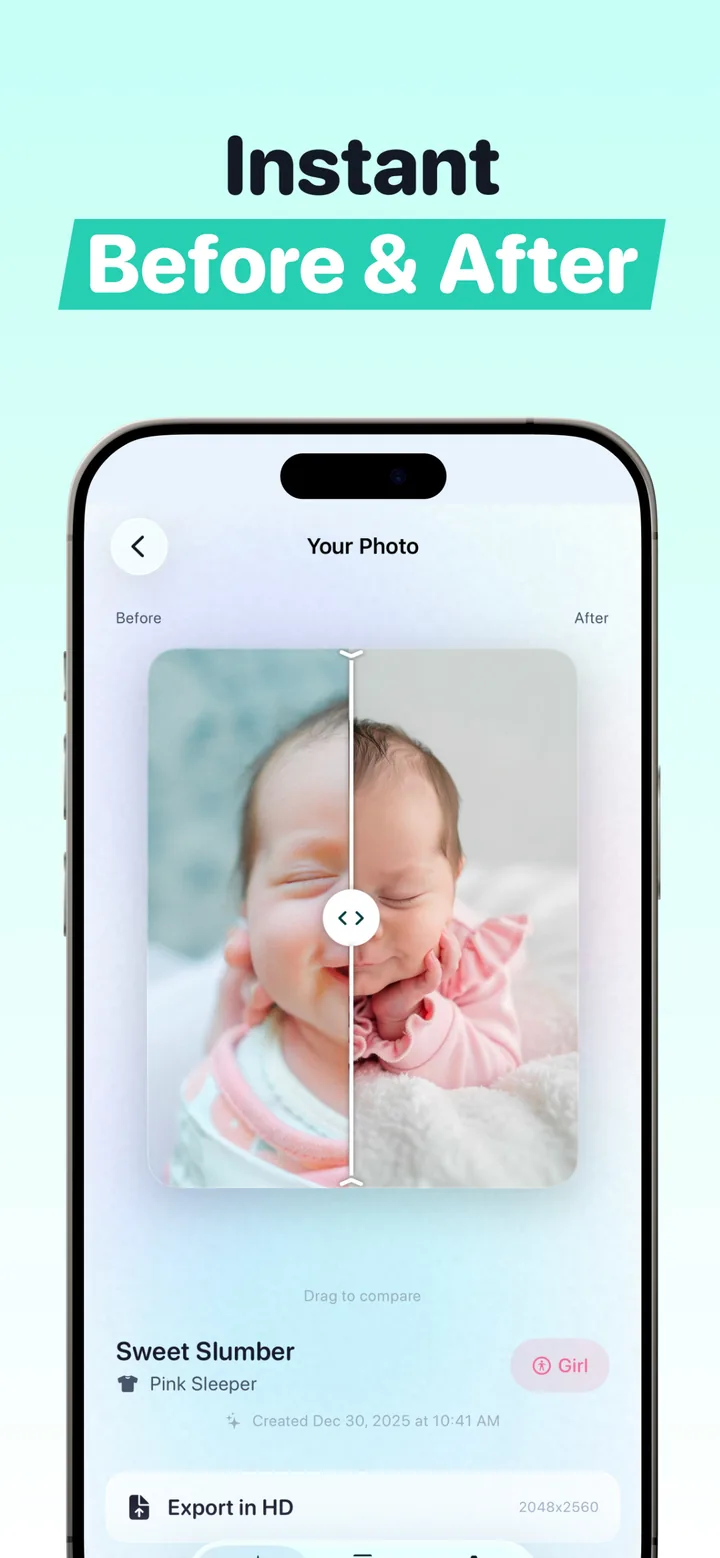
- Compare before and after with the built-in drag slider.
- Export in HD at 2048×2560, print-ready resolution for cards and frames.
The app is a ~114 MB download, runs on iPhone and iPad with iOS 17 or later, and currently holds a 5.0 rating on the App Store.
How to get the most out of the free experience
- Start with your best snapshot. A sharp, well-lit photo with the face clearly visible gives the AI the most to work with. Daylight beats lamplight every time (yes, including the good lamp in the nursery).
- Try one template from each category. Classic, Cozy and Outdoor produce very different moods from the same source photo, and one of the three usually turns out to be the family style.
- Use the before/after slider to sanity-check each result. If something looks off, a different source photo usually fixes it.
- Make the milestone cards a habit. A "Hello World" card at birth, then weekly or monthly cards, builds a matching set that looks intentional on a nursery wall or a social grid.
- Export in HD and back it up. The 2048×2560 export is the version that holds up in print and in announcements.
The honest test of "free": can you go from download to a finished, exportable portrait without paying? In Totti, yes — the paywall isn't between you and your first portrait.
What does premium add, and how will you know?
Some templates and frames are premium and available through optional in-app purchases, for example certain finishes in the frame chooser like the fancier Gold and Floral styles. Totti marks every premium item with a small crown icon, so there's no bait-and-switch. The whole catalog stays browsable, free and premium sit side by side with the labels visible, and the extras stay a choice rather than a gate. If you never tap a crown, you never pay anything.
Who actually upgrades? Usually parents who've already made a habit of the app, building a matching milestone series for the nursery wall or producing seasonal Christmas, Halloween and Easter portraits for cards, and who want a specific premium look to finish the set. Even then, the spend is a few taps on exactly the items you want, not a subscription you forget to cancel. That's a deliberate difference from most "free" photo apps.
Is a free AI baby photo generator as good as a paid studio session?
The comparison that matters is app-versus-photographer, not free-versus-premium. Per 2026 US pricing guides, newborn photographers charge $150–$400 per hour, and once the session fee, the digitals, the retouching and a print package are added up, a typical session lands at $400–$800, which is the number worth holding in mind through the rest of this page. Full breakdown in our newborn photoshoot cost guide.
| Studio session | Totti (free) | |
|---|---|---|
| Cost | $200–$800 typical | $0 to start |
| Scheduling | Booked days–weeks out | Whenever, from your couch |
| Setups per session | 2–3 backdrops | 50+ templates |
| Baby's mood risk | One shot at a good day | Use any photo where baby's happy |
| Turnaround | 1–3 weeks for edits | Minutes |
| Output | Professional prints | HD 2048×2560 exports |
In practice, the screen holds the original snapshot on one side and the generated portrait on the other, with the outfit swapped and HD export one tap away.

Try it free: no card, no trial timer
Download Totti free on the App Store, upload one photo, and export your first studio-quality portrait in HD today. Premium templates and frames are optional and clearly marked with crowns.
Get Totti on the App StoreCommon questions from "free" skeptics
Do I have to create an account or enter a card to try it? No. Download and start creating.
Will my export have a giant watermark ransom? No. HD export at 2048×2560 is part of the core experience.
Is it safe to use AI on my baby's photos? A fair question with its own answer, and we wrote up the full picture in is AI baby photography safe?
Does the AI change what my baby looks like? No. It preserves your baby's real facial features and only restyles the scene: background, lighting, outfit and styling. More on how that works in our AI newborn photoshoot guide.