Photograph the baby, not the decorations. That one rule sits underneath the holiday card photo ideas that actually get printed, and with a baby in the family four concepts deliver it reliably: matching pajamas, ornament close-ups, a first-Christmas setup, and the minimalist portrait. All four work with a phone, a window and twenty patient minutes.
Below are the setups, the print specs that keep your card from arriving blurry, and the timing math nobody tells you about until December 18th.
Holiday card photo ideas families actually print
Matching pajamas
The whole-family classic. Coordinated PJs in buffalo plaid, candy stripes or plain cream instantly read "holiday" without a single prop. Sit on or near the bed, pile together, and shoot a burst while everyone giggles at the baby. Solid colors and simple patterns photograph best; our baby outfit guide explains why busy prints fight the camera.
Ornament close-ups
A tiny hand reaching for a single ornament, or your baby's face reflected beside a bauble they're inspecting. Get close, focus on the hand or face, and let the tree lights melt into soft background sparkle. This one thrives in late-afternoon window light with the tree lights on.
Which setups work best with a newborn in the frame?
Baby's first Christmas setups
Baby in a knit outfit beside a "My First Christmas" plaque, nestled safely in a blanket "wreath", or propped (with a spotter's hands just out of frame) among wrapped boxes. Keep props minimal and the baby's face the biggest element in the frame. More seasonal concepts live in our Christmas baby photoshoot ideas and the full baby holiday photoshoot guide.
Minimalist portraits
One baby, one neutral background, beautiful window light, and all the holiday flavor delivered by the card design around the photo. This is the safest choice for grandparent fridges and the easiest to reuse for announcements and framed prints later.
The capture rules every setup shares
Whichever concept you pick, the same capture rules apply:
- Window light first, tree lights second. Face the setup toward the brightest window and let string lights provide sparkle, not the main illumination.
- Shoot in bursts. Babies give you split-second expressions, so hold the shutter and choose the winner later.
- Get on their level. Kneel or lie down so the camera meets your baby's eyes instead of looking down at a forehead.
- Keep a helper off-camera. One adult shoots; the other sings, waves and spots any leaning baby.
The cards that stay on the fridge until March are never the complicated ones. They're the ones where the baby's face is big, bright and in focus.
Will your photo look sharp on a printed card?
Screens forgive; printers don't. For crisp printing, aim for roughly 300 pixels per inch at the card's printed size. What that means in practice, and how Totti's HD export (2048×2560 pixels) measures up:
| Card size | Pixels needed at 300 DPI | Totti HD export (2048×2560) |
|---|---|---|
| 4×6" photo card | 1200×1800 | Crisp, with room to crop |
| 5×7" flat card | 1500×2100 | Crisp, with room to crop |
| 5×5" square card | 1500×1500 | Crisp, with room to crop |
| 4.25×5.5" folded card | 1275×1650 | Crisp, with room to crop |
Never text or screenshot the photo to yourself before uploading to the card printer (compression eats detail), and check the crop preview, since card layouts often trim edges. Keep faces away from the borders. If your printer offers a paper choice, matte hides fingerprints on cards that get passed around the table; glossy makes colors pop on single-photo designs.
When should you take your holiday card photo?
Card photos have a deadline chain: shoot, pick, design, print, ship, address, mail. And mail-by dates for holiday delivery land in early-to-mid December. Work backward and the photoshoot belongs in late October or early November. Earlier is even better with a baby, since outfits still fit, cold-season sniffles haven't started, and there's time for a redo if the first session ends in tears (theirs or yours). Card printers' prices also climb and slots fill as December approaches. One more scheduling trick is to shoot in the morning, right after the first nap and feed, when baby moods peak, and to take the card photo before any big family gathering, not during it. A room full of relatives is the worst possible place to coax a calm frame.
The shortcut through Totti's seasonal templates
If the tree isn't up yet, or the family photoshoot dissolved after four minutes, you can still get the card shot. Totti includes seasonal collections alongside its 50+ templates: Christmas scenes with festive holiday magic, plus Halloween and Easter for the rest of the year's cards. Upload one clear photo of your baby, and the AI restyles the backdrop, lighting and outfit into a holiday setting while preserving your baby's real facial features. Add a Wood or Gold frame, export in HD, and upload straight to your card printer.
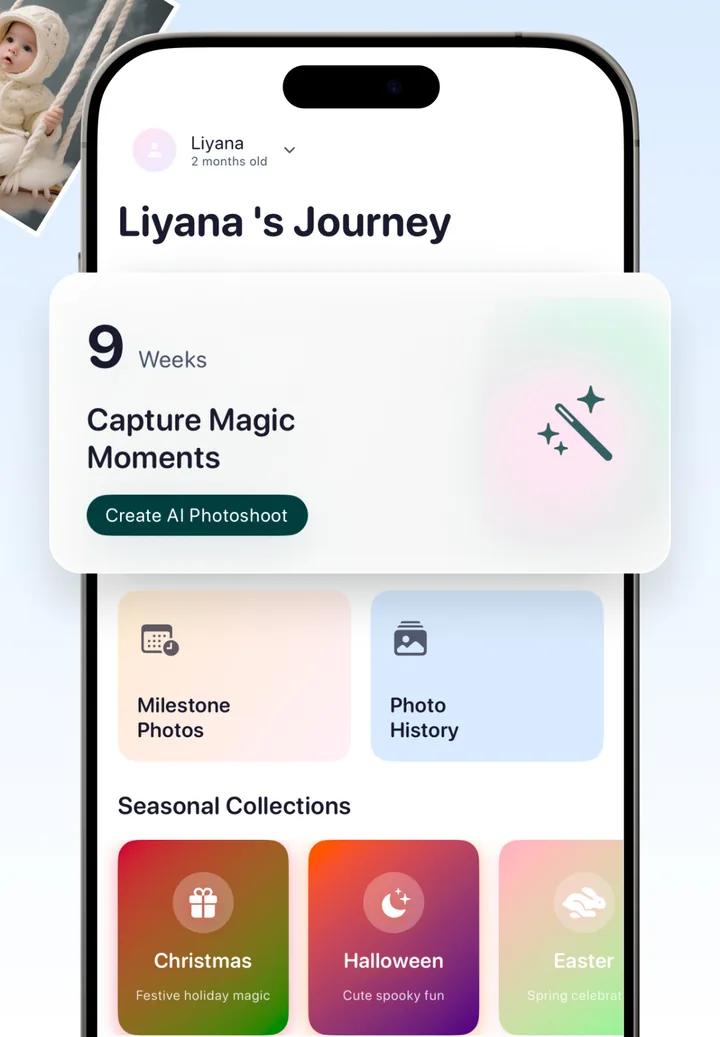

Your holiday card photo, without the reshoot
Upload one photo of your baby, pick a Christmas template, and export a card-ready portrait in HD (2048×2560), sharp at every standard card size. Free to download on iPhone.
Get Totti on the App StoreWhichever route you take (pajama pile, ornament close-up or AI-styled portrait), shoot it early, export it big, and get it to the printer before the December rush. Future you, addressing envelopes in peace, says thanks.